 עברית
עברית عربي
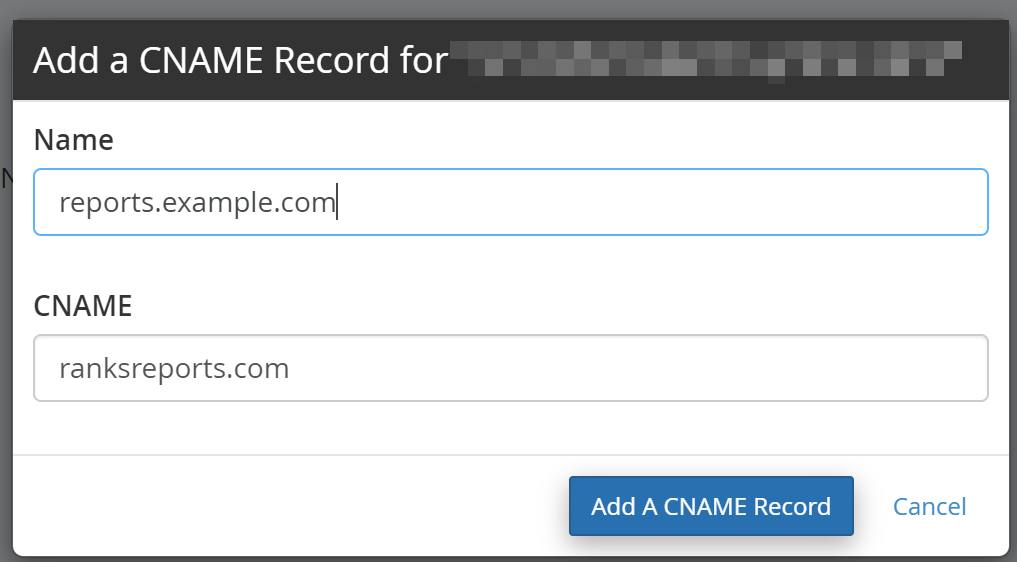
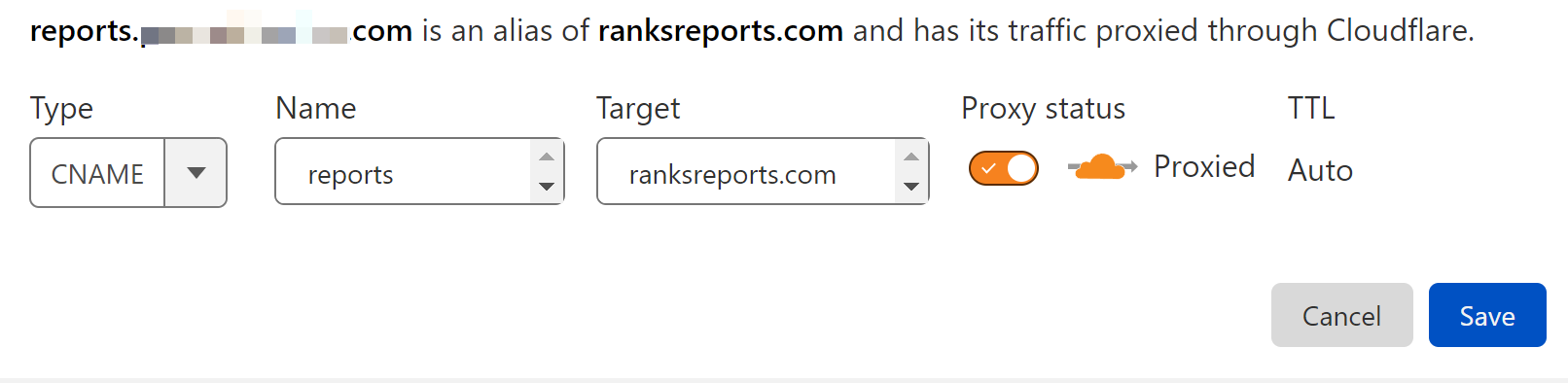
عربي1. Add a CNAME record on your domain’s DNS settings.
The “name” should be your sub-domain, and the CNAME value: ranksreports.com
Example - WHM/cPanel:
Example - Cloudflare:
2. After completing the first step, go to Settings → PRT Settings from the left menu.
In the White Label section, enter the subdomain you set up in the CNAME record into the Custom domain (Shared Reports) field.
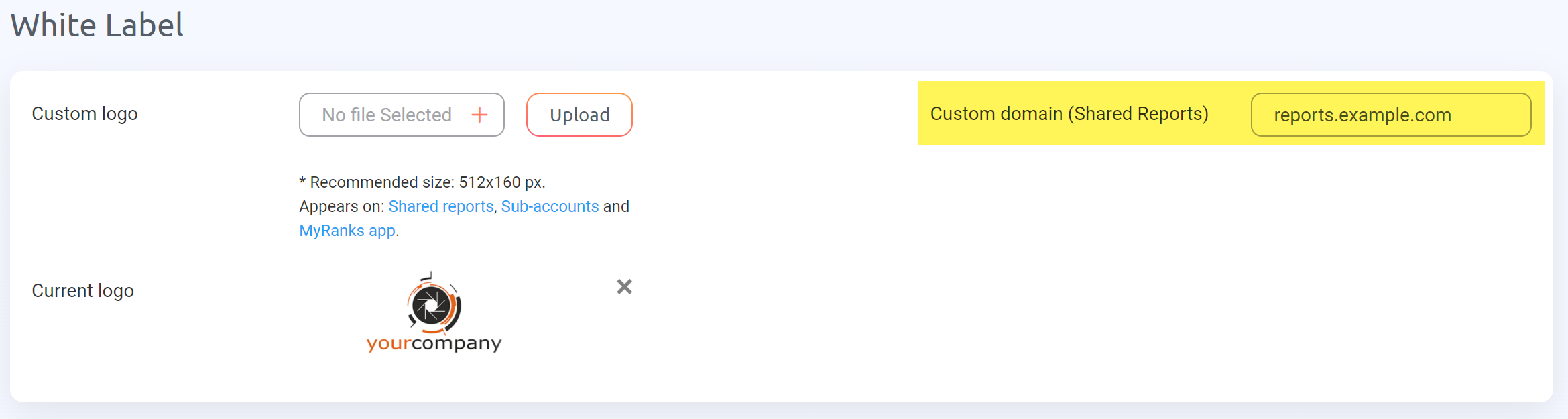
Your request will be sent and classed as pending until our team approves it.
3. Once your request is approved, you will receive an email confirming this, and your shared report will work with your newly added custom domain.
The links on the shared reports page will have your domain instead of ranksreports.com.